
Starting a blog sounds cheap until you start looking at everything people tell you to buy.
You need a domain. Then hosting. Maybe a premium theme. An SEO tool. Email marketing software. A logo. Images. Plugins. Before you know it, a simple blog can start looking like a major investment.
But here is the good news: you do not need to buy all of these things to start a blog.
If your goal is to build a proper blog that you own and can eventually monetize, you can get started with a relatively small budget. For most beginners, the biggest expenses are the domain name and web hosting. Many other blogging tools can be free, at least when you’re starting out.
In this guide, we’ll break down how much it costs to start a blog in 2026, what you actually need to pay for, what you can get for free, and where it makes sense to spend more money.
By the end, you’ll have a much clearer idea of how much money you actually need before starting your blog.
How Much Does It Cost to Start a Blog?
If you want your own domain and a self-hosted WordPress blog, a realistic beginner budget can be around ₹2,000 to ₹10,000 for the first year, depending on your hosting plan, domain, and whether you purchase any optional tools.
You can technically start for ₹0 using a free blogging platform, but that comes with limitations.
Here’s a simple overview:
| Type of blog setup | Approximate starting cost | Best for |
|---|---|---|
| Free blogging platform | ₹0 | Testing blogging |
| Basic self-hosted blog | ₹2,000–₹5,000 | Beginners |
| Recommended beginner setup | ₹3,000–₹10,000 | Serious new bloggers |
| Content/affiliate blog | ₹10,000–₹25,000+ | Bloggers focused on growth |
| Professional business blog | ₹25,000+ | Businesses and established creators |
These are practical budget ranges, not fixed prices. Hosting companies and domain registrars frequently run promotions, and renewal prices can be different from introductory prices.
For example, Hostinger’s current India WordPress hosting page lists its Single plan at a promotional ₹69/month when purchased for 48 months, or ₹3,312 for the four-year term. The same page currently lists renewal at ₹289/month.
That’s why you should never calculate your long-term blogging budget using only the promotional price.
What Do You Actually Need to Start a Blog?
The easiest way to understand blogging costs is to divide them into three groups.
Essential costs
These are the things you’ll normally need for a proper self-hosted blog:
- Domain name
- Web hosting
- Blogging software such as WordPress
Optional costs
These can improve your website, but you don’t necessarily need them on day one:
- Premium WordPress theme
- Premium plugins
- SEO tools
- Email marketing software
- Logo and branding
- Paid images
- Design tools
Growth costs
These usually become relevant after your blog starts growing:
- Freelance writers
- Professional editing
- Advanced SEO tools
- Paid advertising
- Virtual assistants
- Better hosting
- Content production
This distinction is important.
A beginner doesn’t need to spend money on everything at once.
In fact, one of the easiest ways to waste money when starting a blog is to purchase tools before you know whether you’ll actually use them.
1. How Much Does a Domain Name Cost?
Your domain name is your blog’s address on the internet.
For example:
yourblog.com
When someone types that address into their browser, they can reach your website.
A domain is one of the first things you’ll need if you want to build a blog around your own brand.
How much should you budget for a domain?
The price depends on the extension you choose.
A .com domain is usually more expensive than some newer or country-specific extensions, while promotional pricing can make the first year considerably cheaper.
For example, Namecheap currently lists .com registration at a promotional price below its standard registration price, while its listed renewal price is higher. It also offers free domain privacy on eligible domains.
The exact amount you pay will depend on the registrar, domain extension, promotion and whether the name you want is a premium domain.
So rather than thinking:
“A domain costs ₹X.”
It’s better to think:
“I need to budget for both the first-year registration price and the future renewal price.”
First-year price vs renewal price
This is something beginners often overlook.
Suppose you find a domain for a very attractive first-year price. That doesn’t necessarily mean you’ll pay the same amount every year.
Domain registrars commonly offer promotional pricing for new registrations, while renewal prices can be higher. Current Namecheap pricing is a good example of this difference.
Therefore, before registering a domain, check:
- First-year registration price
- Renewal price
- Whether privacy protection is included
- Whether there are additional fees
- Whether the domain is a premium domain
You should also avoid buying an expensive premium domain simply because it sounds impressive.
For a new blog, a memorable and relevant domain is generally more important than an expensive domain.
.com or .in for an Indian blog?
If you’re targeting readers primarily in India, you may consider a .in domain.
If you want a broader international audience, .com is often the more natural choice.
There is no rule saying that a .in website cannot attract international traffic or that a .com website cannot target India.
Choose the extension based on your audience, brand and availability.
The more important thing is to choose a domain that you can comfortably build your brand around for several years.
If you’re still deciding what type of name to choose, this would also be a good place to link to your future [guide to choosing a domain name].
2. How Much Does Web Hosting Cost?
After buying a domain, the next major expense is web hosting.
If your domain is your blog’s address, hosting is the space where your website’s files, images, database and other content are stored.
Without hosting, a normal self-hosted WordPress website cannot operate.
How much does hosting cost?
Hosting prices vary widely depending on the company, plan, contract length and resources included.
For a beginner blog, you generally don’t need an expensive VPS or dedicated server.
A basic shared or managed WordPress hosting plan is usually enough to get started.
For example, Hostinger’s current India WordPress plans include a beginner Single plan at ₹69/month on its 48-month promotional term, while higher plans provide more websites and storage. The listed renewal price for the Single plan is currently ₹289/month.
This illustrates an important point:
Don’t judge hosting only by the monthly promotional price.
Look at the total amount you have to pay today, the length of the introductory term and what you’ll pay when the plan renews.
What should beginner hosting include?
At a minimum, I would look for:
- WordPress support
- SSL certificate
- Adequate storage
- Regular backups
- Good customer support
- Easy WordPress installation
- A clear upgrade path
Some hosting plans also include extras such as a free domain for the first year, email accounts, CDN access, backups and other tools. Hostinger’s current plans, for example, include different combinations of these features depending on the plan.
That means you shouldn’t compare hosting plans purely on their monthly price.
Compare what you actually get for the money.
Do you need expensive hosting when starting?
Usually, no.
If you’re starting your first blog and have very little traffic, buying a powerful VPS or dedicated server is generally unnecessary.
You can upgrade later when your traffic and website requirements justify it.
This is one of the biggest advantages of starting a blog: you can scale your expenses along with your website.
You don’t have to pay for the resources of a large website when you are still getting your first few visitors.
3. Is WordPress Free?
This is another common question from new bloggers.
If you’re talking about the WordPress software itself, yes, WordPress is free and open-source software.
You don’t have to purchase a WordPress license before installing it on your hosting account.
However, that doesn’t mean running a WordPress website is completely free.
You’ll still normally pay for things such as:
- Domain
- Hosting
- Optional themes
- Optional plugins
- Other services you choose to use
In other words:
WordPress can be free, but your website infrastructure isn’t necessarily free.
This is why someone can truthfully say “WordPress is free” while also spending money every year to run a WordPress blog.
WordPress has relatively modest technical requirements, and its ecosystem includes thousands of themes and plugins, which is one reason it remains popular for blogs and other websites.
WordPress.org vs WordPress.com
This can also confuse beginners.
WordPress.org provides the WordPress software that you can install on your own hosting.
With this setup, you normally buy your domain and hosting separately and have greater control over your website.
WordPress.com is a hosted service where hosting is provided as part of the platform’s plans.
They are related, but they aren’t the same thing.
If your goal is to build a long-term blog where you want greater control over monetization, plugins, design and website management, understanding this difference is important.
A detailed WordPress.org vs WordPress.com comparison would be useful for readers who are still deciding which route to take.
The Basic Cost So Far
At this point, you can already see why the cost of starting a blog isn’t as complicated as it first appears.
For a normal self-hosted blog, the basic setup is essentially:
Domain + Hosting + WordPress
WordPress itself doesn’t require a software purchase, so most of your initial spending goes toward the domain and hosting.
The bigger question is what happens after you’ve set up the foundation.
Do you need to buy a premium theme?
Do you need expensive SEO software?
What about email marketing?
What about images and content?
And how much will the blog cost after the first year, when your introductory hosting and domain prices may change?
Those optional and recurring expenses can make a much bigger difference to your total blogging budget, so we’ll look at them next.
Optional Costs You May Come Across After Setting Up Your Blog
Once you have a domain, hosting and WordPress, you technically have everything you need to start publishing.
But when you start exploring blogging tutorials, YouTube videos and other websites, you’ll quickly come across many other things you can buy.
Premium themes.
SEO tools.
Email marketing software.
Image subscriptions.
Writing tools.
Plugins.
Logo design.
Courses.
The list can seem endless.
The important thing to understand is that most of these are optional when you’re starting out.
You can build a perfectly usable blog with free tools and gradually pay for better tools when your needs grow.
Let’s look at the costs one by one.
4. How Much Does a WordPress Theme Cost?
Your WordPress theme controls much of your website’s appearance and layout.
It affects things such as:
- Website design
- Fonts
- Colors
- Blog layout
- Navigation
- Article pages
- Header and footer
- Mobile appearance
There are thousands of free WordPress themes, so you don’t have to spend money on a theme when starting your blog.
Free themes
A free theme can be perfectly adequate for a new blog.
For example, you can find free themes designed for:
- Blogs
- News websites
- Affiliate websites
- Magazine-style websites
- Business websites
- Personal websites
If your budget is limited, start with a good free theme rather than delaying your blog because you can’t afford a premium theme.
Your readers are much more interested in whether your articles solve their problems than whether your theme cost ₹5,000.
Premium themes
Premium WordPress themes can cost anywhere from a relatively small annual fee to several thousand rupees or more, depending on the theme and license.
They may offer:
- More design options
- Additional templates
- Advanced customization
- Better support
- More layout options
- Additional blocks or components
- Premium updates
But that doesn’t automatically mean a premium theme will bring you more traffic.
A ₹5,000 theme doesn’t magically make a website rank higher on Google.
If you are starting with a small budget, I would put your money into good hosting and useful content before an expensive theme.
Should you buy a premium theme immediately?
Usually, no.
A better approach is:
Start with a good free theme → publish content → understand what you need → upgrade later if necessary.
This prevents you from spending money on features you may never use.
5. How Much Do WordPress Plugins Cost?
Plugins add additional functions to WordPress.
Think of them as small extensions that give your website abilities that aren’t included in the basic WordPress installation.
For example, a plugin can help you:
- Improve SEO
- Create contact forms
- Compress images
- Create backups
- Improve website performance
- Add affiliate links
- Add analytics
- Create tables
- Add social sharing buttons
- Improve security
There are thousands of free plugins available, along with many paid options.
Do you need paid plugins?
Not when you’re starting.
For many common blogging requirements, you can find a free plugin that does the job.
Some plugins use a freemium model, where the basic version is free but advanced features require a paid plan.
This can actually be a good approach for beginners.
Start with the free version.
If your website grows and you discover that you genuinely need a premium feature, you can pay for it later.
Don’t install plugins just because they’re available
This is another common beginner mistake.
You might watch a tutorial that recommends five plugins.
Then another tutorial recommends eight more.
Before long, you have installed 20 or 30 plugins without knowing whether you actually need them.
More plugins don’t automatically mean a better website.
Some plugins can conflict with each other, consume resources or create maintenance work.
A better rule is:
Install a plugin because you have a specific problem to solve, not because someone says every blog needs it.
6. Do You Need to Pay for SEO Tools?
SEO is important if you want people to find your articles through search engines.
But you don’t need to spend hundreds or thousands of rupees every month on SEO tools from the first day.
There are several free resources that can help you understand your website’s performance and search visibility.
For example, Google Search Console can show you information about:
- Search queries
- Impressions
- Clicks
- Click-through rate
- Search positions
- Pages appearing in Google
- Indexing issues
Google Analytics can also help you understand how visitors interact with your website.
You can combine these free tools with a free SEO plugin and learn the basics before considering expensive keyword research platforms.
When do paid SEO tools make sense?
Paid SEO tools become more useful when you already have a working content strategy and need more advanced information.
For example, you might eventually want to:
- Research thousands of keywords
- Analyze competitors
- Track many keywords
- Find backlink opportunities
- Analyze search difficulty
- Monitor rankings across many pages
But if you have only published ten articles, paying for an expensive SEO platform may not be the best use of your money.
You can spend that money on creating more useful content instead.
7. How Much Does a Blog Logo Cost?
A logo can make your blog look more professional, but it isn’t an essential expense.
You can create a basic logo yourself using free or low-cost design tools.
You could also hire a designer if you want a custom brand identity.
The cost can range from ₹0 to several thousand rupees or more, depending on what you want.
For a new blog, there’s nothing wrong with starting with a simple text-based logo.
You don’t need to spend ₹10,000 on branding before publishing your first article.
In fact, your branding may change as your website develops.
A simple logo today can be replaced with a professionally designed identity later when the blog starts generating revenue.
8. How Much Do Blog Images Cost?
Images are another expense that beginners often overlook.
A blog may need:
- Featured images
- Article illustrations
- Screenshots
- Product images
- Infographics
- Charts
- Social media graphics
The good news is that you don’t necessarily need to pay for every image.
Free image options
There are websites that provide free images under their respective licensing terms.
You can also create your own graphics and screenshots.
For many informational articles, original screenshots, diagrams and simple graphics can actually be more useful than generic stock photography.
For example, if you’re writing about setting up WordPress, a screenshot showing where to click can help the reader much more than a generic picture of a laptop.
Paid image tools
As your blog grows, you may decide that a paid design or image service saves you time.
This can be worthwhile if you’re regularly creating:
- Blog thumbnails
- Pinterest graphics
- Instagram posts
- YouTube thumbnails
- Infographics
But again, this is an optional cost.
If you’re starting with a limited budget, don’t let the lack of a paid design subscription stop you from publishing useful articles.
9. How Much Does Email Marketing Cost?
Building an email list can be valuable for a blog.
Instead of depending entirely on Google or social media to bring visitors back, you can communicate directly with people who have chosen to subscribe.
Email marketing can be used to:
- Send new article notifications
- Share useful tips
- Promote products
- Send newsletters
- Promote digital products
- Build a long-term audience
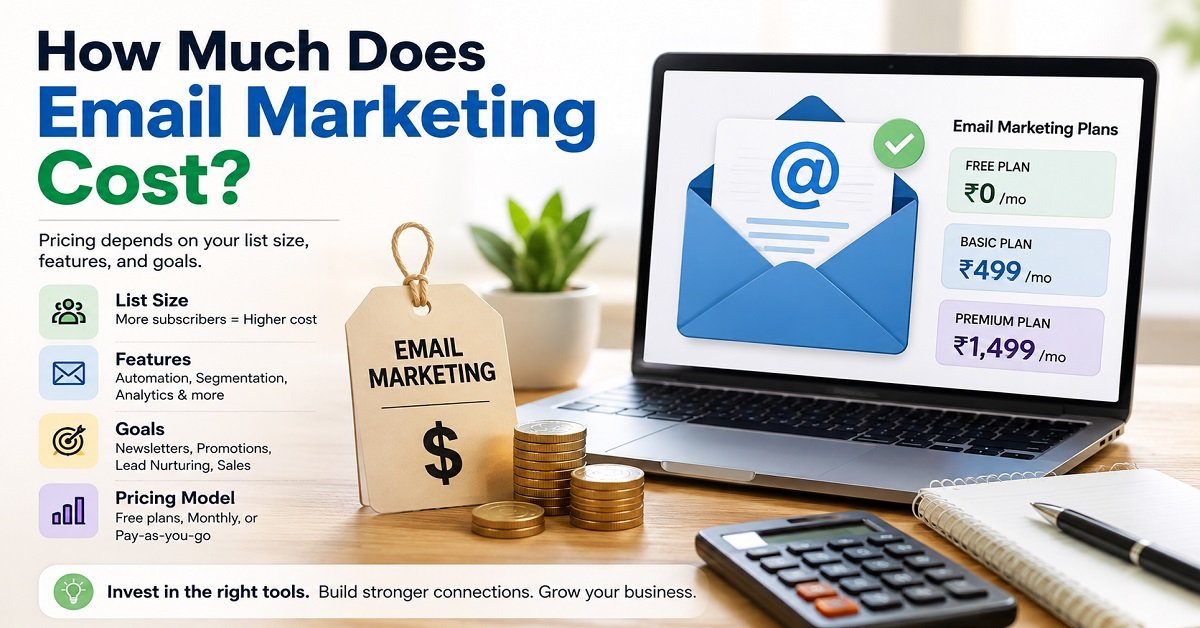
However, you don’t necessarily need an expensive email marketing platform on day one.
Many email services offer free plans with limits on subscribers or monthly emails.
As your list grows, you may need to upgrade.
So your email marketing cost could look something like this:
| Blog stage | Possible email cost |
|---|---|
| No email list | ₹0 |
| Small list | ₹0 or low cost |
| Growing list | Paid plan may be needed |
| Large list | Higher monthly cost |
This is another example of a blogging expense that grows with your success.
You don’t need to pay for the infrastructure of a 50,000-subscriber newsletter when you have 50 subscribers.
10. How Much Does Blog Content Cost?
This is one of the most important costs to think about because content is the actual product of an information blog.
You can have:
- Excellent hosting
- A beautiful theme
- A premium SEO tool
- A professionally designed logo
But if your articles don’t help readers, those things won’t build a successful blog.
Writing content yourself
The cheapest option is to write your own articles.
Your direct financial cost can be close to ₹0.
But there is another cost:
Your time.
Researching a topic, checking information, creating screenshots, writing an article, editing it, optimizing it for search and publishing it can take several hours.
So when someone says:
“I started my blog for ₹3,000.”
That doesn’t mean the blog was actually free to create.
They may have invested hundreds of hours of their own time.
This is why it’s useful to think about cash cost and time cost separately.
Hiring writers
If you don’t want to write everything yourself, you can hire freelance writers.
The cost varies greatly depending on:
- Writer experience
- Topic complexity
- Article length
- Research requirements
- Editing requirements
- Expertise needed
A basic article may cost relatively little, while a highly researched technical or finance article can cost considerably more.
For a new blog, outsourcing every article can become expensive very quickly.
A practical approach is to write some content yourself and outsource specific tasks when the blog starts generating enough revenue to justify the expense.
Don’t confuse quantity with quality
If you have ₹10,000 available for content, publishing 20 poor articles isn’t necessarily better than publishing five genuinely useful ones.
For a people-first website, quality, usefulness, originality and accuracy matter more than simply increasing the article count.
That’s particularly important if your goal is to build a website that can attract organic search traffic over several years.
11. Do You Need to Pay for AI Writing Tools?
AI tools can help with blogging tasks such as:
- Brainstorming topics
- Creating outlines
- Finding questions readers may have
- Improving readability
- Generating ideas
- Editing drafts
- Summarizing research
- Creating content variations
But an AI subscription is still an optional expense.
You don’t need to subscribe to every AI tool you see advertised.
More importantly, using AI doesn’t remove the need for human judgment.
If you use AI-generated information without checking it, you can introduce incorrect facts, outdated information or generic content into your blog.
A better approach is to use AI as a helpful tool in your workflow, while you remain responsible for research, accuracy, experience and the final article.
This is also where E-E-A-T becomes important.
A website shouldn’t simply publish large amounts of automatically generated text. Readers need useful information they can trust.
12. What About Blogging Courses?
This is another area where beginners can easily overspend.
There are courses costing:
- A few hundred rupees
- ₹1,000–₹5,000
- ₹10,000+
- Even much more
Some courses can be useful.
But you don’t need an expensive course before you can start a blog.
There is a huge amount of free information available about:
- WordPress
- SEO
- Content writing
- Domain names
- Hosting
- Affiliate marketing
- Website design
- Google Search Console
The bigger challenge is usually not a lack of information.
It’s taking action and consistently applying what you learn.
Before buying a course, ask:
- Does it teach something I actually need?
- Is the information current?
- Does the instructor have real experience?
- Are there practical examples?
- Can I find the same information elsewhere for free?
- Will this course save me enough time or mistakes to justify its price?
Don’t spend ₹20,000 on a blogging course when you haven’t even published your first article.
A Realistic Optional Cost Breakdown
Here’s how some common optional expenses might fit into your budget:
| Expense | Can you start without it? | Possible cost |
|---|---|---|
| Premium theme | Yes | ₹0–₹10,000+ |
| Premium plugins | Yes | ₹0–₹10,000+ per year |
| SEO tools | Yes | ₹0–₹several thousand/month |
| Logo design | Yes | ₹0–₹several thousand |
| Paid images | Yes | ₹0–₹several thousand/month |
| Email marketing | Yes | ₹0–₹several thousand/month |
| Freelance writers | Yes | Varies widely |
| AI tools | Yes | ₹0–₹several thousand/month |
| Blogging course | Yes | ₹0–₹20,000+ |
The large ranges are intentional.
There isn’t one standard price for these services, and you shouldn’t assume that spending more automatically produces better results.
The Biggest Mistake: Buying Everything Before You Need It
Imagine someone decides to start a technology blog.
Before publishing the first article, they buy:
- A premium domain for ₹8,000
- Premium hosting
- A ₹7,000 theme
- Three paid WordPress plugins
- A keyword research subscription
- An AI subscription
- A graphic design subscription
- A paid email service
- A ₹15,000 blogging course
They have now spent a significant amount of money.
But they haven’t written a single article.
That’s the wrong order.
A better approach is:
Build the foundation → Publish useful content → Learn what your audience needs → Get traffic → Improve the website → Invest where it makes sense.
This keeps your financial risk low.
What Should You Spend Money on First?
If you have a limited budget, I’d prioritize your expenses like this:
| Priority | Expense | Why |
|---|---|---|
| 1 | Domain | Gives you your own web address |
| 2 | Reliable hosting | Runs your website |
| 3 | Quality content | Gives readers a reason to visit |
| 4 | Basic design | Makes the website easier to use |
| 5 | Useful tools | Save time or solve specific problems |
| 6 | Advanced SEO tools | Useful after your content grows |
| 7 | Paid promotion | Consider after you have something worth promoting |
This approach prevents you from spending most of your budget on things that don’t directly help you publish useful content.
Your Blog Doesn’t Have to Be Expensive to Look Professional
This is worth remembering.
A professional-looking blog isn’t necessarily one with the most expensive theme, animations or plugins.
A good blog should primarily have:
- Clear navigation
- Easy-to-read text
- Fast loading pages
- Mobile-friendly design
- Helpful articles
- Clear headings
- Good images where necessary
- Working links
- A trustworthy About page
- Contact information
- Privacy and other required policy pages
A simple website that works well is often better than an expensive website overloaded with unnecessary features.
And this brings us to another important question.
What expenses will continue after you launch the blog?
Your first-year cost isn’t necessarily the same as your long-term cost.
Your domain will need renewal.
Your hosting plan may renew at a different price.
Premium plugins and tools may require annual payments.
Your email service may become more expensive as your subscriber list grows.
And if your blog becomes successful, you may eventually want to invest more in content, SEO and website performance.
Understanding these recurring and hidden costs is the next step toward calculating the real cost of running a blog.
What Does It Really Cost to Run a Blog After You Start?
Getting a blog online is only the beginning.
Your initial setup might cost just a few thousand rupees, but you should also understand what you’ll spend in the second year, third year and beyond.
This matters because some blogging services use introductory pricing.
You might pay a low promotional price when you first sign up, but the renewal price can be higher.
That doesn’t necessarily make the service expensive. It simply means you need to calculate your budget using the price you’ll actually pay over time.
First-Year Cost vs Recurring Cost
Let’s separate the expenses into two categories.
First-year costs are what you pay to get the blog started.
Recurring costs are expenses that come back every year or every month.
Here’s a simplified example:
| Expense | First year | Recurring? |
|---|---|---|
| Domain name | Yes | Usually yearly |
| Web hosting | Yes | Usually yearly |
| WordPress | ₹0 | No |
| Free theme | ₹0 | No |
| Premium theme | Optional | Usually yearly |
| Free plugins | ₹0 | Usually no |
| Premium plugins | Optional | Usually yearly |
| Email service | Optional | Usually monthly/yearly |
| SEO tools | Optional | Usually monthly/yearly |
| Content | Variable | As needed |
| Images/design tools | Variable | As needed |
The important point is that not every blogging expense is recurring.
You might buy a premium theme once and use it for several years, while an SEO tool might charge you every month.
Hosting Renewal Can Change Your Budget
Hosting is one of the expenses where you should pay particular attention to renewal pricing.
For example, a hosting provider may advertise a low introductory monthly price when you purchase a longer-term plan.
Once that initial period ends, the plan may renew at a higher monthly equivalent.
Hostinger’s current India WordPress pricing illustrates this clearly. Its Single plan is currently promoted at ₹69/month when purchased for 48 months, while the listed renewal price is ₹289/month.
That doesn’t mean you shouldn’t choose an introductory offer.
It simply means you should know what happens after the promotional period ends.
A simple calculation
Suppose your introductory hosting works out to ₹3,312 for four years.
That sounds very affordable.
But if the listed renewal price is ₹289/month, a full year at that renewal rate would be:
₹289 × 12 = ₹3,468 per year
So when you’re calculating the long-term cost of your blog, don’t assume the promotional price will continue forever.
Domain Renewal Is Another Recurring Expense
Your domain isn’t something you normally purchase once and own forever.
You register it for a period and renew it to keep control of the name.
The renewal price depends on the domain extension and registrar.
For example, a .com domain can have one price for the initial registration and another for renewal. Namecheap currently displays separate registration and renewal pricing for .com domains.
This is why I recommend keeping a record of:
- Domain registration date
- Renewal date
- Registration price
- Renewal price
- Registrar account details
You don’t want to build your entire brand around a domain and then accidentally allow it to expire.
What About Premium Themes and Plugins?
If you use only free themes and plugins, your recurring software costs can remain very low.
But if you start using premium products, you need to check their license terms.
Some products charge:
- One-time payment
- Annual subscription
- Monthly subscription
- Annual renewal for updates and support
For example, you might buy a premium WordPress theme for ₹4,000 and then discover that updates and support require an annual renewal.
That isn’t necessarily a bad deal.
If the theme saves you many hours of work every year, the cost could be worthwhile.
The key is to understand what you’re actually paying for.
What Are the Hidden Costs of Running a Blog?
The obvious expenses are easy to remember.
Domain.
Hosting.
Maybe a premium theme.
But several less obvious expenses can appear as your blog grows.
1. Content updates
Old articles don’t always remain accurate forever.
Prices change.
Products are discontinued.
Software changes.
Search results change.
Statistics become outdated.
If you want to maintain a useful website, you’ll eventually need to spend time updating older articles.
If you do the work yourself, the cost is mainly your time.
If you hire someone, it becomes a direct financial expense.
2. Website maintenance
WordPress websites need occasional maintenance.
You may need to:
- Update WordPress
- Update themes
- Update plugins
- Check backups
- Remove unused plugins
- Fix broken links
- Check forms
- Monitor website performance
You can do most of this yourself.
But if you’re not comfortable managing technical issues, you may eventually pay a developer or maintenance service.
3. Website speed improvements
A small blog with limited traffic may work perfectly well on basic hosting.
As your website grows, you may want to invest in:
- Better hosting
- CDN services
- Image optimization
- Caching
- Database optimization
- Performance monitoring
Again, you don’t need all of these on day one.
Upgrade when you actually have a problem to solve.
4. Content outsourcing
As traffic grows, you may find that writing every article yourself takes too much time.
At that point, you might hire:
- Writers
- Editors
- Proofreaders
- Researchers
- Graphic designers
This can become one of the largest expenses for a growing content website.
That’s why it’s important to distinguish between starting a blog and scaling a blog.
They are two different financial situations.
How Much Does It Cost to Start a Blog With a Small Budget?
Let’s look at some realistic scenarios.
Budget 1: The Almost-Free Blog
Approximate budget: ₹0 to ₹1,000
This approach is mainly for someone who wants to experiment with blogging before spending money.
You could use:
- A free blogging platform
- Free design tools
- Free images where appropriate
- Free writing and research tools
- Free analytics tools
The advantage is obvious.
Almost no financial risk.
But there are trade-offs.
You may have limited control over the website, platform restrictions and fewer options for customization or monetization.
It can be useful for learning.
But if you’re serious about building a long-term website, I’d generally recommend moving to your own domain and hosting.
Budget 2: Recommended Beginner Blog
Approximate first-year budget: ₹3,000 to ₹10,000
This is the setup I’d recommend for many beginners who are serious about blogging.
It could include:
- Your own domain
- Reliable shared or WordPress hosting
- Free WordPress theme
- Free or low-cost plugins
- Free Google tools
- Free design tools
- Content written by you
You don’t need to buy an expensive theme.
You don’t need an expensive SEO platform.
You don’t need a huge collection of plugins.
You can put most of your effort into publishing useful content.
Example budget
| Expense | Example budget |
|---|---|
| Domain | ₹500–₹1,500 |
| Hosting | ₹2,000–₹6,000 |
| Theme | ₹0 |
| Plugins | ₹0 |
| SEO tools | ₹0 |
| Design | ₹0 |
| Content | ₹0 if self-written |
| Total | ₹2,500–₹7,500 |
These figures are examples rather than fixed market prices.
Your actual cost will depend on the hosting provider, domain extension, promotional offers and other choices.
Budget 3: Serious Content or Affiliate Blog
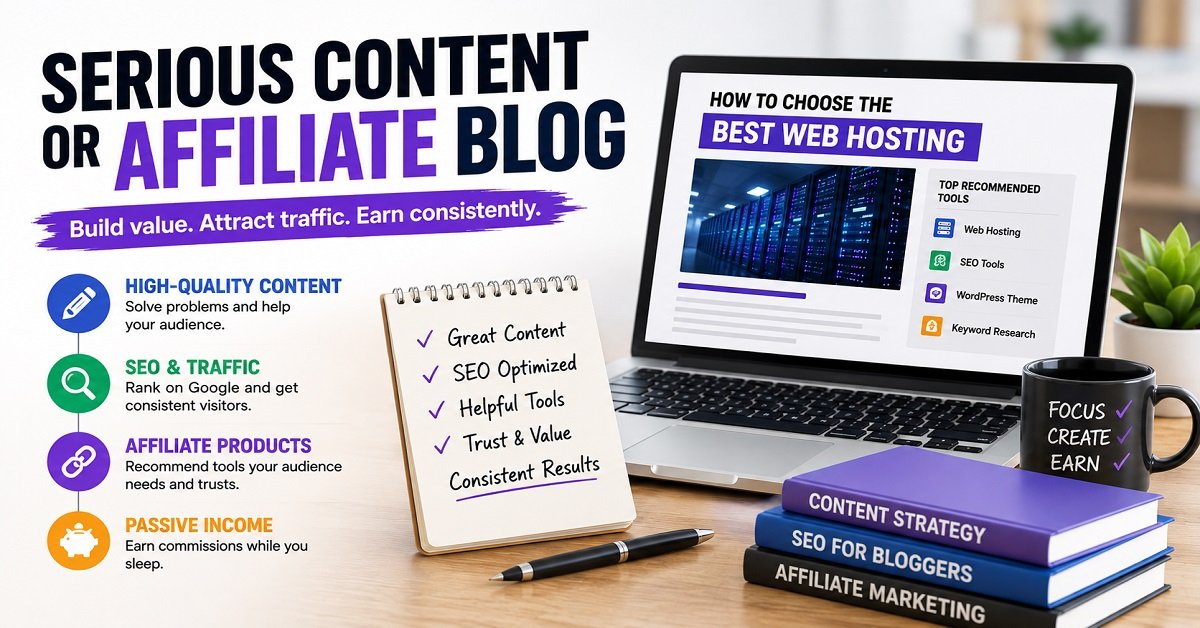
Approximate first-year budget: ₹10,000 to ₹25,000+
This is for someone who already knows what they want to build and is willing to invest more heavily in content and tools.
The budget could include:
- Better hosting
- Premium theme
- Premium plugins
- SEO or keyword research tools
- Design software
- Email marketing
- Professional content
- Editing
- Original graphics
- Other specialist tools
The important thing is that you’re spending money to solve actual problems, not simply because premium products look attractive.
For example, paying ₹3,000 for a tool that saves you 20 hours of work may make sense.
Paying ₹3,000 for a tool you barely use doesn’t.
Budget 4: Professional Business Blog
₹25,000+ per year
A business website or professional publishing operation can easily cost much more.
You may have:
- Professional branding
- Custom website development
- Premium hosting
- Professional writers
- Editors
- SEO specialists
- Email marketing
- Paid advertising
- Custom photography
- Developers
At this point, you’re no longer simply asking:
“How cheaply can I start a blog?”
You’re asking:
“How much should I invest to build and grow this business?”
That is a very different question.
Can You Start a Blog for Free?
Technically, yes.
There are free blogging platforms where you can create an account and start publishing without purchasing hosting.
This is useful if you simply want to experiment with writing online.
For example, you might want to find out:
- Do I actually enjoy writing?
- Can I publish consistently?
- What topics do I enjoy covering?
- Can I build an audience?
- Do I want blogging to become a business?
A free platform lets you answer some of those questions without financial risk.
But there is a difference between free and independent
If you’re serious about building a long-term website, owning your domain and hosting gives you considerably more control.
You can choose:
- Your domain name
- Your hosting provider
- Your WordPress theme
- Your plugins
- Your monetization methods
- Your website structure
- Your content strategy
You aren’t completely dependent on another platform’s rules.
That’s one reason a self-hosted blog is often a better long-term choice for someone who wants to build a business around their website.
Can You Start a Blog With ₹1,000?
This depends on what you mean by “start.”
If you mean getting a free blog online, yes.
If you mean buying your own domain and hosting, ₹1,000 can be difficult but may be possible with a strong promotional offer or a low-cost setup.
However, I wouldn’t choose a hosting company purely because it allows you to stay under ₹1,000.
Reliability matters.
A cheap host that causes frequent downtime, poor performance or difficult support can cost you more in frustration and lost time.
If your budget is extremely limited, it can be better to wait until you can afford a reasonable domain and hosting setup rather than choosing a poor provider simply to save a few hundred rupees.
Where Should You Spend More Money?
Not every blogging expense has the same value.
If you have ₹10,000 available, don’t automatically divide it among ten different tools.
I’d prioritize your spending like this:
1. Reliable hosting
Your website needs to be available when someone visits.
Good hosting is part of your website’s foundation.
2. Quality content
Your content is what gives people a reason to visit your website.
Invest time or money into research, accuracy, useful examples and clear writing.
3. Website performance
A fast, mobile-friendly website gives visitors a better experience.
You don’t necessarily need expensive performance tools, though.
Often, good hosting, sensible image sizes and proper caching can take you a long way.
4. Tools that save meaningful time
If a paid tool saves you several hours every month, it may be worth paying for.
But measure the benefit.
Don’t subscribe simply because another blogger recommends it.
5. Email list
Once your website has a steady audience, building an email list can become a worthwhile investment because it gives you another way to reach your readers.
Where Should You Save Money?
There are also several areas where beginners can save money without hurting the blog.
Don’t overspend on your theme
A clean free theme is enough to get started.
Don’t buy every SEO tool
Use free tools until you actually need more advanced features.
Don’t buy dozens of plugins
Install only what solves a genuine problem.
Don’t pay for expensive branding immediately
A simple logo is perfectly fine at the beginning.
Don’t hire writers before you have a content strategy
First learn what type of content your audience actually needs.
Don’t pay for traffic before your website is ready
If your website has only a few articles, sending paid traffic to it may not be the best use of your money.
The Real Cost of a Blog Is More Than Money
Here’s something that deserves more attention than it usually gets.
Blogging costs time.
You might spend ₹5,000 to set up the website.
But then you spend:
- 4 hours researching an article
- 3 hours writing it
- 1 hour editing it
- 1 hour creating images
- 30 minutes optimizing it
- 30 minutes publishing and promoting it
That’s 10 hours for one article.
If you publish 50 articles, that’s potentially hundreds of hours.
You might not pay anyone for those hours, but they’re still an investment.
This is particularly important if you’re thinking about blogging as a business.
A blog isn’t simply:
Money → Website → Income
It’s more like:
Money + Time + Knowledge + Consistency → Content → Audience → Potential Income
There are no guarantees that a blog will make money.
That’s why starting with a manageable financial commitment is usually smarter than making a large investment before you know whether your approach works.
A Simple Way to Calculate Your Own Blogging Budget
Instead of asking:
“How much does a blog cost?”
Ask:
“What kind of blog do I want to build?”
Then calculate your budget based on that.
For example:
Step 1: Choose your domain.
Step 2: Choose reliable hosting.
Step 3: Use a free theme initially.
Step 4: Use free tools where possible.
Step 5: Create your first batch of useful articles.
Step 6: Monitor your traffic and search performance.
Step 7: Identify genuine problems.
Step 8: Spend money to solve those problems.
This approach is much safer than buying every blogging product before you’ve even published your first article.
A Good Beginner Rule: Spend After You Have a Reason
Here’s a simple rule that can save a new blogger a lot of money:
Don’t buy a blogging tool because you think you might need it. Buy it when you know why you need it.
For example, don’t purchase an expensive SEO platform just because you’re starting an SEO-focused blog.
Publish content first.
Learn Google Search Console.
Understand your search queries.
See what information you’re missing.
Then decide whether a paid tool can solve a real problem.
The same applies to themes, plugins, email software, writing tools and other services.
What Happens When Your Blog Starts Growing?
Your expenses may increase as your blog grows.
That isn’t necessarily a bad thing.
If your website starts receiving more visitors, earning affiliate commissions or selling products, investing more money can make sense.
You might upgrade hosting because your traffic has increased.
You might hire a writer because you no longer have enough time to write everything yourself.
You might pay for an SEO tool because you’re managing hundreds of articles.
You might subscribe to better email software because your subscriber list has grown.
In other words:
The goal isn’t to keep your blog’s expenses at ₹0 forever.
The goal is to make sure your spending grows for a good reason.
If spending ₹5,000 helps you generate ₹20,000 in additional revenue or saves you dozens of hours, that’s very different from spending ₹5,000 on something you never use.
Your First-Year Blogging Budget at a Glance
Here’s a practical way to think about the different levels:
| Setup | Domain | Hosting | Other tools | Content | Approx. first-year budget |
|---|---|---|---|---|---|
| Free experiment | Free/subdomain | Free | Free | Self-written | ₹0 |
| Basic blog | Paid | Basic | Mostly free | Self-written | ₹2,000–₹5,000 |
| Recommended beginner | Paid | Reliable | Some optional tools | Self-written | ₹3,000–₹10,000 |
| Serious affiliate/content blog | Paid | Better | Several paid tools | Mixed | ₹10,000–₹25,000+ |
| Professional operation | Paid | Advanced | Multiple services | Outsourced | ₹25,000+ |
These figures should be treated as planning ranges rather than guaranteed prices.
The actual amount depends on your domain, hosting term, renewal rates, tools and content requirements.
And there is one more important question we haven’t answered yet:
If you’re a beginner with limited money, what should you actually spend on your blog first, and what can you safely ignore?
That’s where we can turn all these numbers into a simple, practical starting plan.
How Much Should a Beginner Actually Spend on a Blog?
If you’re starting your first blog, my advice is simple:
Don’t spend as much as you can. Spend only what you need to get started properly.
You don’t need a ₹50,000 budget to test your blogging idea.
You also don’t need to build the cheapest possible website at any cost.
The sweet spot for many beginners is somewhere in between.
A budget of around ₹3,000 to ₹10,000 for the first year can be enough to build a proper self-hosted blog, assuming you write the content yourself and use free tools wherever practical.
Your actual cost may be lower or higher depending on your hosting plan, domain, promotional offers and optional tools.
A simple beginner setup
Here’s what I would consider a sensible starting setup:
| Requirement | Recommended approach | Approximate cost |
|---|---|---|
| Domain | Choose a relevant, memorable domain | ₹500–₹1,500 |
| Hosting | Reliable beginner WordPress hosting | ₹2,000–₹6,000 |
| WordPress | Self-hosted WordPress | ₹0 |
| Theme | Good free theme initially | ₹0 |
| SEO | Free tools initially | ₹0 |
| Analytics | Google Analytics/Search Console | ₹0 |
| Images | Create your own/use suitable free resources | ₹0 |
| Plugins | Use only what you need | ₹0 initially |
| Content | Write yourself initially | ₹0 in direct cost |
| Approximate total | ₹2,500–₹7,500 |
These figures are planning ranges rather than fixed market prices.
Hosting and domain promotions change, and some providers offer a domain free with selected hosting plans.
The important thing is the approach, not hitting a particular rupee amount.
What I Would Not Buy on Day One
If you’re a beginner, you may come across dozens of products that promise to make blogging easier.
You don’t need most of them immediately.
Here’s what I’d postpone.
An expensive WordPress theme
Start with a good free theme.
Upgrade when you have a genuine reason.
Several premium plugins
Use free plugins where they meet your requirements.
If a plugin eventually saves you time or solves an important problem, then consider upgrading.
Expensive SEO software
Start with free Google tools and a basic SEO plugin.
You can invest in advanced keyword research and competitor analysis tools once your content library grows.
Professional logo design
A simple logo is enough initially.
Your brand will probably evolve anyway.
Paid advertising
Don’t pay to send traffic to a website that has very little useful content.
Build something worth visiting first.
Multiple AI subscriptions
You don’t need five different AI tools to start a blog.
Choose tools based on actual needs rather than collecting subscriptions.
Expensive blogging courses
Learn the basics from reliable free resources first.
If you later find a course that teaches something specific you genuinely need, then evaluate whether it is worth paying for.
Where Should a New Blogger Spend More?
Saving money doesn’t mean choosing the cheapest option for everything.
Some things are worth paying for.
Spend on reliable hosting
Your hosting is the foundation of your website.
If your website is slow, frequently unavailable or difficult to manage, saving a small amount on hosting may not be worth it.
Spend on useful content
If you can’t write everything yourself, consider outsourcing specific articles once you have a clear content strategy.
But don’t outsource hundreds of articles just to increase the number of posts.
Spend on things that save time
A paid tool can be worthwhile if it genuinely saves you significant time.
For example, if a tool saves you five hours every month and costs ₹500, you can decide whether those five hours are worth more than ₹500 to you.
That’s a much better way to evaluate a subscription than simply asking whether it is “premium.”
Spend when the problem appears
This is perhaps the best rule.
Don’t buy a solution before you have a problem.
If your website has no traffic, you probably don’t need an advanced traffic-analysis platform.
If you have 20 subscribers, you probably don’t need an expensive enterprise email system.
If your website is loading quickly, you don’t need to spend money on five different speed optimization services.
How Much Does a Blog Cost Per Month?
This is another way beginners often think about the question.
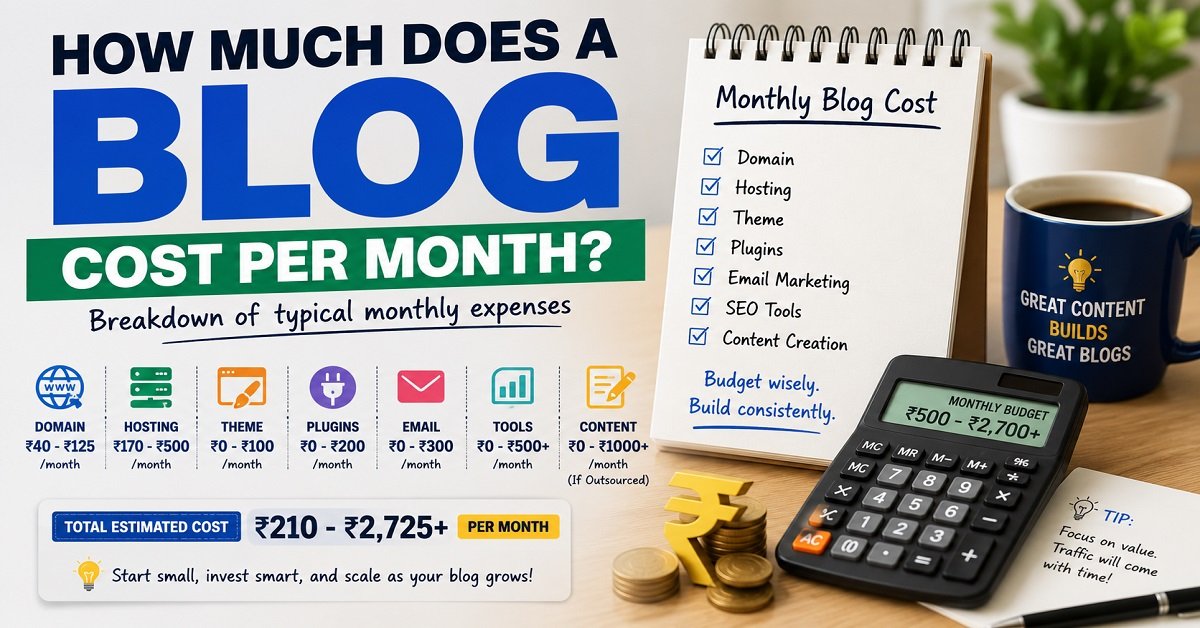
If you spread your expenses across the year, a basic blog can potentially work out to a few hundred rupees per month during the early stage.
But don’t confuse this with a fixed monthly bill.
For example, you might pay for hosting annually rather than monthly.
You might pay for your domain once a year.
You might not pay anything for plugins.
You might spend ₹0 on content if you write everything yourself.
Your monthly equivalent could therefore look like this:
| Expense | Example monthly equivalent |
|---|---|
| Domain | ₹40–₹125 |
| Hosting | ₹170–₹500 |
| WordPress | ₹0 |
| Free theme | ₹0 |
| Free plugins | ₹0 |
| Free analytics | ₹0 |
| Self-written content | ₹0 direct cost |
| Basic total | ₹210–₹625/month |
Again, these are only budgeting examples.
A serious blog that uses paid writers, premium tools, email marketing and advanced hosting could cost several thousand rupees per month.
The important thing is that you don’t need that setup when you’re just starting.
How Much Does a Blog Cost After the First Year?
This is where your budget can change.
Suppose you started with:
- A promotional hosting plan
- A domain
- Free theme
- Free plugins
- Free SEO tools
Your second-year costs may look different because:
- Hosting may renew at a higher price
- Domain needs renewal
- Premium tools may have been added
- Your email list may require a paid plan
- You may want better hosting
- You may start outsourcing content
This is why I recommend checking renewal prices before purchasing a service.
Don’t ask only, “How much does it cost today?”
Also ask:
“How much will I pay when this service renews?”
That one question can prevent unpleasant surprises later.
A Practical Blog Launch Budget
If I were helping a beginner start a blog today with a limited budget, I’d approach it like this.
Step 1: Decide what the blog is about
Before buying anything, decide what you want to publish.
You don’t need a perfect business plan.
But you should have a reasonably clear idea of:
- Your topic
- Your target reader
- The problems you’ll help solve
- The type of content you’ll publish
If you’re still choosing a topic, this is a good place to link to how to choose a profitable blog niche.
Step 2: Choose your domain
Pick something that is:
- Easy to remember
- Easy to spell
- Relevant to your brand
- Not unnecessarily long
- Suitable for long-term use
Don’t spend thousands of rupees on a premium domain unless you have a very good reason.
Step 3: Choose reliable hosting
Look at:
- Introductory price
- Renewal price
- Contract length
- Storage
- Number of websites
- Backups
- SSL
- Support
- Upgrade options
Don’t choose solely based on the cheapest advertised monthly number.
Step 4: Install WordPress
Use self-hosted WordPress if that fits your plans.
You don’t need to spend money on WordPress itself.
Step 5: Choose a free theme
Get the basic website structure working.
You can change themes later.
Step 6: Install only essential plugins
Think about what your website actually needs.
For example:
- SEO
- Backup
- Security
- Performance
- Contact form
Don’t install 25 plugins just because you found a list titled “25 must-have WordPress plugins.”
Step 7: Create useful content
This is where the majority of your effort should go.
Research the questions your target audience is asking.
Then create genuinely useful answers.
Step 8: Set up free analytics tools
Google Search Console and Google Analytics can provide valuable information without requiring a paid subscription.
Use them to understand:
- What people search for
- Which pages get traffic
- Which pages get impressions but few clicks
- Where visitors come from
- How people interact with your website
Step 9: Start learning SEO
Don’t try to master every SEO concept before publishing.
Learn the basics and improve as you go.
Focus on:
- Search intent
- Helpful content
- Good titles
- Clear headings
- Internal linking
- Descriptive URLs
- Useful images
- Website speed
- Mobile usability
Step 10: Spend more only when necessary
Once your website grows, you’ll know where your actual problems are.
That’s when spending money becomes much easier to justify.
What If You Have ₹5,000 to Start?
If ₹5,000 is your total budget, don’t panic.
You can still build a proper blog.
A sensible allocation could look something like:
₹500–₹1,000: Domain
₹2,500–₹4,000: Hosting
₹0: WordPress
₹0: Theme
₹0: Basic plugins
₹0: Analytics
₹0: Initial content if you write yourself
That leaves little or no need to spend money on fancy extras.
Your biggest investment will be your time.
What If You Have ₹10,000?
With ₹10,000, you have more flexibility.
You could still keep the basic setup inexpensive and reserve some money for things such as:
- A premium theme if you genuinely need one
- Design resources
- A useful content tool
- Better images
- Initial outsourced content
- A small number of premium plugins
But you still don’t need to spend the entire ₹10,000 immediately.
Having a ₹10,000 budget doesn’t mean you need to spend ₹10,000.
That’s an important mindset for a new blogger.
Pros and Cons of Starting a Blog
A blog can be inexpensive to start compared with many traditional businesses, but it isn’t a guaranteed way to make money.
Here are the main advantages and disadvantages.
Frequently Asked Questions
How much money do I need to start a blog?
For a proper self-hosted blog, a beginner can often start with around ₹2,000 to ₹10,000 for the first year.
A basic setup mainly requires a domain and hosting. WordPress itself is free.
Your actual cost depends on your hosting plan, domain extension, promotional pricing and whether you buy optional tools.
Can I start a blog for ₹1,000?
It can be possible with certain promotions or low-cost options, but your choices may be limited.
If ₹1,000 is your entire budget, you can also start with a free blogging platform while learning.
For a serious long-term blog, however, I would rather have a reasonable budget for reliable hosting and a suitable domain than choose a poor service just to stay below ₹1,000.
Can I start a blog for free?
Yes.
You can use a free blogging platform without paying for hosting.
However, free platforms can have limitations around customization, control, branding and monetization.
If your goal is to build a long-term website or business, owning your domain and using your own hosting gives you greater control.
Is WordPress free?
Yes. The WordPress software itself is free and open source.
However, a self-hosted WordPress website still requires hosting and normally a domain.
You may also choose to pay for premium themes, plugins or other services.
How much does a blog cost per month?
A basic self-hosted blog can potentially work out to a few hundred rupees per month when annual costs are averaged out.
However, most hosting and domain services are billed annually or for longer terms, rather than as a simple monthly bill.
A growing blog with paid content, SEO tools, email marketing and other services can cost considerably more.
How much does it cost to run a blog after the first year?
The cost depends on what services you use.
At minimum, you’ll usually need to account for domain and hosting renewal.
If you use premium themes, plugins, email services, SEO tools or outsourced content, your annual cost can increase.
This is why you should always check renewal pricing before buying a service.
Do I need a premium WordPress theme?
No.
A good free theme can be enough to start a professional-looking blog.
A premium theme can provide additional features and customization, but it isn’t necessary for getting your first articles published or attracting readers.
Do I need paid SEO tools to start a blog?
No.
You can start with free resources such as Google Search Console, Google Analytics and free SEO tools.
Paid SEO platforms become more useful when you need advanced keyword research, competitor analysis, rank tracking or other features that your free tools don’t provide.
How much does it cost to start a blog in India?
A realistic beginner budget for a self-hosted blog in India is around ₹2,000 to ₹10,000 for the first year.
You can spend less by using free tools and writing your own content, or considerably more if you purchase premium themes, paid tools or outsourced content.
Should I spend more money to make my blog successful?
Not necessarily.
Spending more doesn’t guarantee more traffic or income.
A beginner will usually benefit more from investing time in useful content, understanding the audience and learning basic SEO than from buying expensive tools.
Spend more when you have a specific problem that the additional expense can solve.
What is the cheapest way to start a blog?
The cheapest option is to use a free blogging platform.
If you want your own domain and more control, the cheaper route is generally to choose an affordable hosting plan, use a reasonably priced domain and rely on free WordPress themes and plugins initially.
Is blogging a good low-cost business to start?
Blogging can have a relatively low financial entry cost compared with many traditional businesses.
However, the low startup cost shouldn’t be confused with easy income.
A successful blog can require months or years of consistent content creation, SEO work, updating old content and audience building.
The financial risk can be relatively low, but the time investment can be significant.
So, How Much Does It Really Cost to Start a Blog?
If you came here looking for one exact number, there isn’t one.
You could technically start a blog for ₹0 using a free platform.
But if you want your own domain, reliable hosting and a website that you can build into a long-term asset, I’d recommend planning for roughly ₹3,000 to ₹10,000 for your first year as a beginner.
You don’t need a premium theme.
You don’t need expensive SEO software.
You don’t need dozens of plugins.
You don’t need professional branding.
And you certainly don’t need to spend ₹50,000 before publishing your first article.
Start with the essentials:
Domain + reliable hosting + WordPress + a simple theme + useful content.
Then let your blog tell you where to invest next.
If your traffic grows, upgrade your hosting.
If you need more advanced SEO data, consider a paid SEO tool.
If you don’t have enough time to write, consider outsourcing some content.
If your email list grows, invest in better email marketing.
That’s a much healthier way to build a blog than spending heavily before you know what works.
The bottom line
You don’t need a huge budget to start blogging.
A few thousand rupees can be enough to build the foundation of a proper website.
What matters more is what you do after the website goes live.
Your domain and hosting get you online.
Your content gives people a reason to visit.
Your understanding of your audience helps you create better content.
And your consistency gives the blog a chance to grow.
So if you’ve been delaying your blog because you thought you needed a large amount of money, you probably don’t.
Start with a sensible budget, avoid unnecessary expenses, learn as you go, and increase your investment only when your blog gives you a good reason to do so.