
You can publish excellent articles, target the right keywords and build useful backlinks, but there is still one problem that can quietly hold your website back.
Google needs to be able to access, understand and index your website properly before your content can have a chance to appear in search results.
This is where technical SEO comes in.
Technical SEO sounds complicated because the name makes it feel like something only developers should worry about. In reality, many of the most important technical SEO tasks are simple once you understand what they do.
For example, you need to make sure Google can crawl your pages, understand which version of a URL is the main one, find your important content through internal links and sitemaps, access your website on mobile devices, and properly handle pages that have been moved or deleted.
You don’t need to become a server administrator to understand these things.
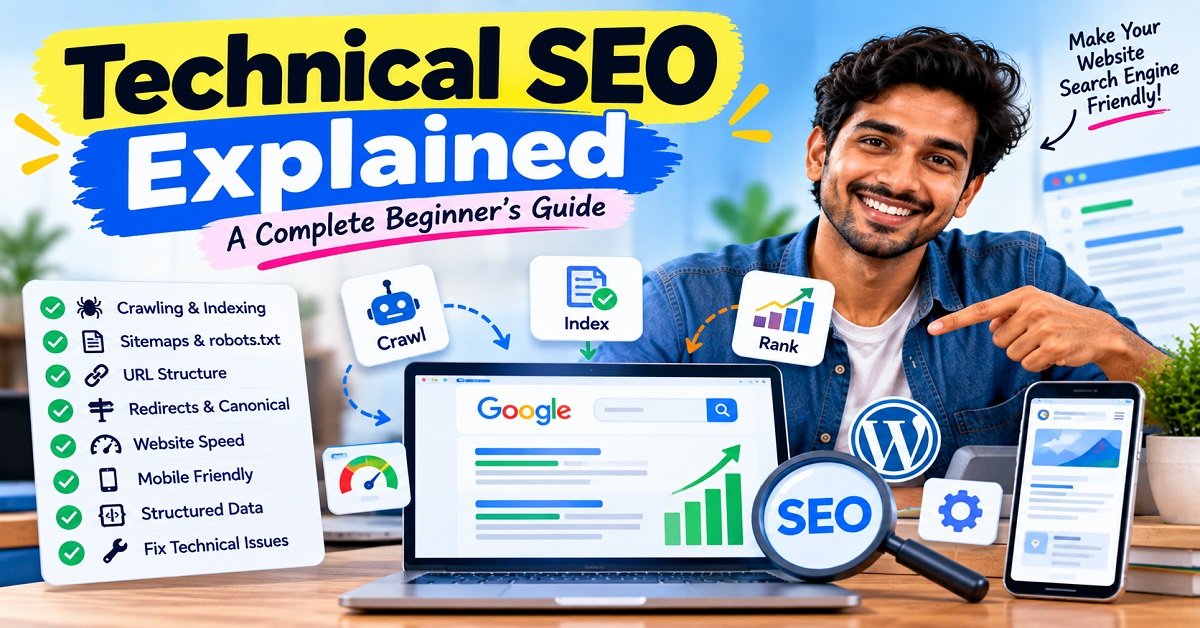
In this guide, we’ll break technical SEO down into simple language and look at the most important areas you should check on a website.
By the end, you’ll have a practical technical SEO checklist that you can use on your own WordPress website.
What Is Technical SEO?
Technical SEO is the process of improving the technical parts of a website so that search engines can crawl, understand, index and access its content effectively.
In simple terms:
Technical SEO makes your website easier for search engines to process and easier for visitors to use.
It covers areas such as:
- Website crawling
- Website indexing
- XML sitemaps
- Robots.txt
- URL structure
- Canonical URLs
- Redirects
- Broken links
- HTTPS
- Mobile usability
- Website speed
- Core Web Vitals
- Structured data
- JavaScript
- Internal linking
- Duplicate URLs
- 404 errors
- Server response issues
Google’s crawling and indexing documentation specifically covers areas such as sitemaps, robots.txt, canonicalization, URL structure, mobile sites, JavaScript, metadata, redirects and HTTP status codes.
The important thing to understand is that technical SEO is not about trying to trick Google.
It is about removing technical problems that can make your website difficult to crawl, understand or use.
Why Is Technical SEO Important?
Imagine that you have written the best article on the internet about a particular topic.
You publish it.
But your website accidentally tells search engines not to index the page.
Your content may be excellent, but you have created a technical problem.
Or imagine that Google finds five different URLs showing almost the same article. Google then needs to determine which URL represents the main version.
Or perhaps your website works perfectly on a desktop computer but becomes difficult to use on a mobile phone.
These are technical SEO problems.
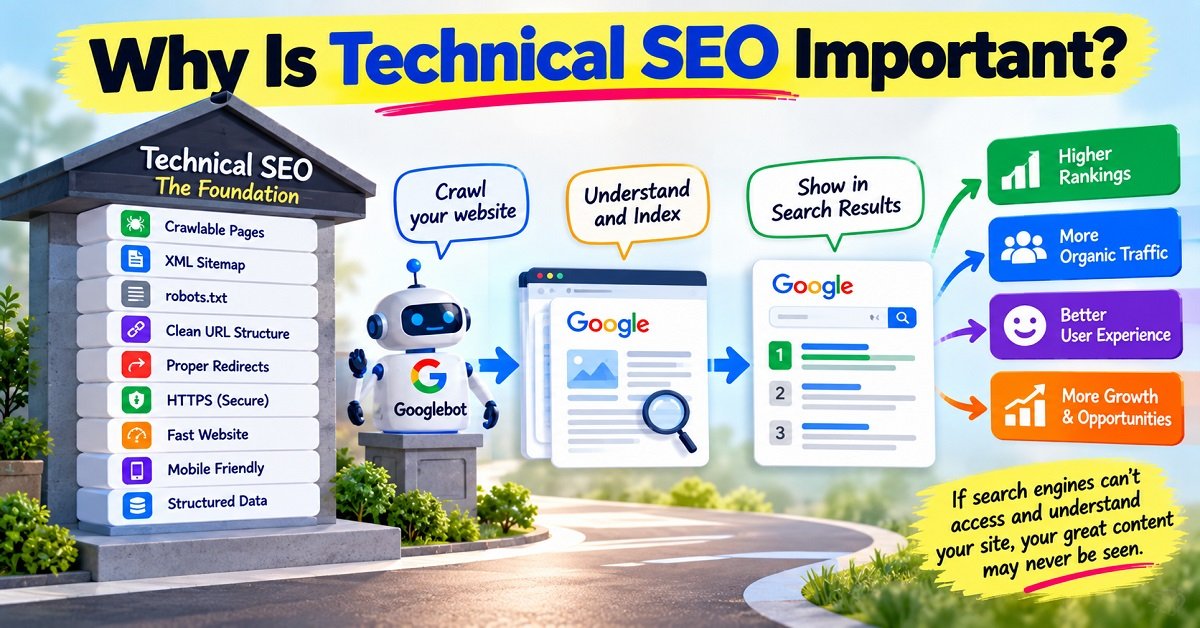
Technical SEO matters because search engines need to process your website before they can decide where and how its pages should appear.
However, there is an important distinction:
Technical SEO does not guarantee rankings.
Google’s systems consider many factors when deciding which pages to show. Google also says that good Core Web Vitals and overall page experience can contribute to search success, but achieving good scores does not guarantee top rankings.
Think of technical SEO as making sure the road to your content is clear.
Your content still needs to be useful, relevant and valuable.
Technical SEO vs On-Page SEO vs Off-Page SEO
SEO is easier to understand when you divide it into three broad areas.
| SEO Type | Main Focus | Examples |
|---|---|---|
| Technical SEO | Website infrastructure | Crawling, indexing, speed, sitemaps, redirects |
| On-page SEO | Content and page optimization | Titles, headings, keywords, internal links |
| Off-page SEO | Signals outside your website | Backlinks, mentions, digital reputation |
These areas overlap.
For example, internal linking can be considered an on-page SEO activity, but it also helps search engines discover and navigate pages.
Similarly, website speed is a technical SEO concern, but improving speed also improves the visitor experience.
The goal is not to treat these as completely separate activities.
A good website needs all of them working together.
How Google Finds and Processes Your Website
Before discussing individual technical SEO tasks, it helps to understand what happens when Google encounters a page.
At a simplified level, think about these stages:
Discovery → Crawling → Rendering → Indexing → Search
1. Discovery
Google needs to discover a URL.
It can discover URLs through:
- Internal links
- External links
- XML sitemaps
- Other sources
This is one reason internal linking is important.
If you publish an article but don’t link to it from anywhere on your website, Google may have a harder time discovering it.
If you want to understand how Google discovers, crawls and indexes website content, Google’s Crawling and Indexing documentation provides the official technical guidance.
2. Crawling
Googlebot requests the page and retrieves its content.
Your server needs to respond properly.
Problems such as server errors, blocked resources or incorrect robots.txt rules can interfere with crawling.
3. Rendering
For modern websites, Google may need to process JavaScript to see the final content.
Google explains that its Search systems process JavaScript in three broad phases: crawling, rendering and indexing.
4. Indexing
Google evaluates the content and decides whether and how it should be stored in its index.
Being crawled does not automatically mean that a page will be indexed.
5. Search
When someone searches for something, Google’s systems determine which indexed pages are relevant to that query.
This is why technical SEO is only one part of SEO.
A technically perfect website can still have poor search visibility if its content doesn’t satisfy search intent.
1. Make Sure Important Pages Can Be Crawled
The first technical SEO question should be:
Can Google access the pages I actually want it to find?
Google’s documentation recommends checking robots.txt rules and ensuring that important pages are not accidentally blocked.
For example, imagine you publish:
You want Google to crawl it.
But your robots.txt accidentally contains a rule blocking the relevant directory.
You have created an unnecessary crawling problem.
What should you check?
Look at:
- robots.txt
- Server availability
- HTTP status codes
- Internal links
- XML sitemap
- Security restrictions
- Login requirements
- Accidental crawl blocks
For most WordPress websites, you don’t need to manually change robots.txt every week.
In fact, constantly changing crawl rules without understanding their purpose can create more problems.
2. Understand Robots.txt
A robots.txt file tells search engine crawlers which URLs or resources they are allowed to request.
A simple example looks like this:
User-agent: *
Disallow:
Sitemap: https://example.com/sitemap_index.xml
This example does not block anything for Googlebot and points crawlers toward the sitemap.
Robots.txt can be useful when you genuinely need to control crawling.
But there is a common misunderstanding.
Robots.txt is not the same as noindex
If you want Google to crawl a page but not include it in search results, robots.txt is generally not the right tool.
A noindex directive can be used for pages that should not be indexed.
Robots.txt controls crawling.
noindex controls indexing.
These are different jobs.
For this reason, don’t randomly add Disallow rules because you saw them in an SEO tutorial.
Understand what the rule is actually doing first.
3. Create and Maintain an XML Sitemap
An XML sitemap is a file that lists URLs you want search engines to know about.
For example:
https://example.com/post-one/
https://example.com/post-two/
https://example.com/post-three/
Google says sitemaps can help it discover URLs and recommends including the canonical URLs you want to appear in search results. However, submitting a sitemap is a hint, not a guarantee that Google will crawl or index every listed URL.
Google explains how sitemaps help search engines discover important URLs in its official sitemap documentation.
What should be in your sitemap?
Generally, include URLs that you want Google to index.
For a WordPress blog, that normally means important:
- Posts
- Pages
- Categories where appropriate
Avoid filling your sitemap with URLs that you don’t want indexed.
For example, you generally don’t want to use the sitemap as a dumping ground for:
- Deleted pages
- Redirected URLs
- Duplicate URLs
- Thin utility pages
- URLs blocked from indexing
WordPress makes this easier
Modern WordPress installations can generate XML sitemaps automatically.
SEO plugins can also provide additional sitemap controls.
If you use Rank Math, for example, check its sitemap settings and make sure the important content types are included.
4. Use Google Search Console
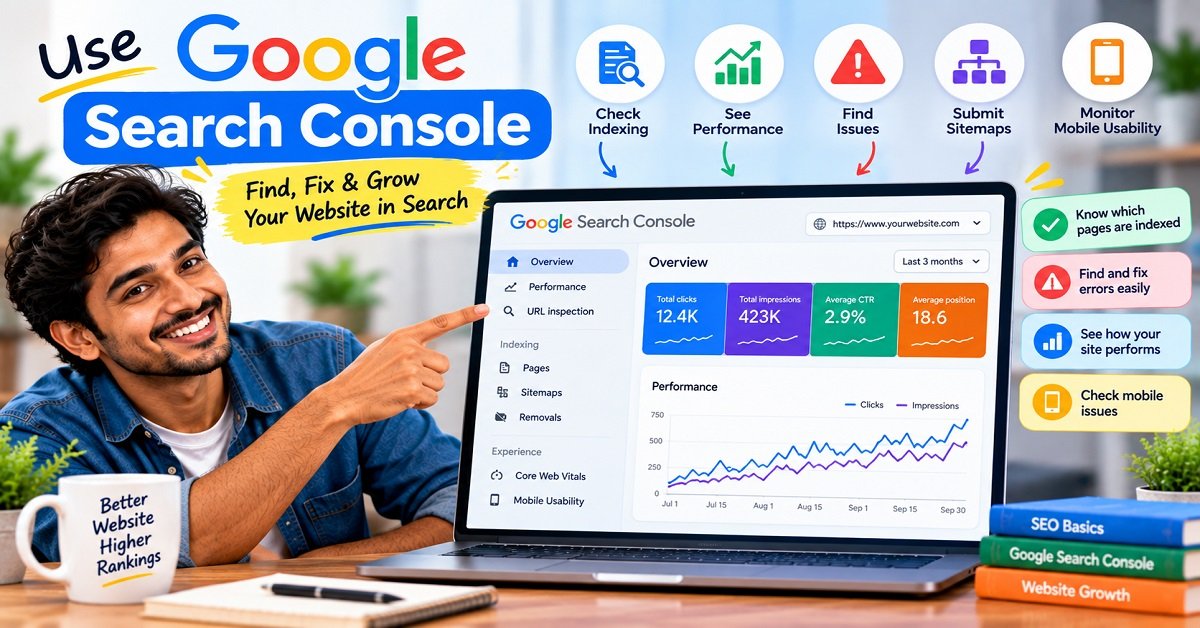
Google Search Console should be one of the most important tools in your technical SEO toolkit.
It can help you understand:
- Which pages Google knows about
- Which pages are indexed
- Indexing problems
- Search performance
- Core Web Vitals
- Mobile-related issues
- Sitemap processing
- Security problems
- Manual actions
- URL inspection results
The URL Inspection tool is especially useful.
Google’s URL Inspection tool is particularly useful when you want to check whether Google can access and understand a specific page on your website.
Suppose you publish a new article and want to know whether Google can access it.
You can inspect the URL and see information about Google’s understanding of the page.
Google’s documentation recommends using URL Inspection when troubleshooting indexing and canonicalization issues.
If you’re serious about growing an organic search website, don’t simply install an SEO plugin and forget about Search Console.
Use both.
5. Create a Logical URL Structure
Your URLs should be simple and understandable.
For example:
is easier to understand than:
Google recommends using logical URL structures that are understandable to humans.
Good URL practices
Try to:
- Keep URLs reasonably short
- Use descriptive words
- Avoid unnecessary parameters
- Use hyphens between words
- Avoid changing URLs unnecessarily
- Keep the structure consistent
For example:
/best-wordpress-themes/
is better than:
/bestwordpressthemes2026finalupdatedversion/
Don’t try to put every possible keyword into your URL.
The URL should describe the page.
6. Understand Canonical URLs
Canonicalization sounds complicated, but the basic idea is simple.
Imagine the same article can be accessed through:
example.com/article/
and
example.com/article/?source=facebook
The content may be essentially the same.
Which URL should Google treat as the main version?
That’s where canonicalization comes in.
A canonical URL tells search engines which URL you prefer to represent a page when multiple URLs contain duplicate or very similar content.
Google says redirects and rel="canonical" are strong signals, while sitemap inclusion is a weaker canonicalization signal.
Why canonical URLs matter
They can help reduce confusion when similar content is available through multiple URLs.
They are particularly useful for websites with:
- Tracking parameters
- Product variations
- Sorting and filtering
- Duplicate pages
- Print versions
- Multiple URL variations
Don’t add canonical tags randomly.
Your canonical should point to the correct representative version of the page.
7. Fix Broken Links and 404 Errors
A 404 error means the requested page cannot be found.
For example:
might no longer exist.
404 errors are not automatically an SEO disaster.
If a page genuinely doesn’t exist, returning a proper 404 is often correct.
The problem occurs when important pages disappear unexpectedly or when your website contains large numbers of broken internal links.
Check for:
- Broken internal links
- Deleted pages
- Incorrect URLs
- Broken images
- Old redirects
- Links pointing to outdated content
If a page has permanently moved to a new URL, a proper permanent redirect is generally more appropriate than simply deleting the old URL.
Google’s documentation explains how redirects communicate URL changes and help Google understand the relationship between old and new URLs.
8. Avoid Redirect Chains
A redirect chain happens when:
URL A → URL B → URL C → URL D
Instead, whenever possible, make it:
URL A → URL D
Long redirect chains create unnecessary requests.
Google specifically recommends avoiding long redirect chains as part of improving crawling efficiency.
This is especially important when you’ve changed your site’s URL structure several times.
9. HTTPS Is Essential
Your website should use HTTPS.
For example:
rather than:
http://example.com
HTTPS encrypts communication between the visitor’s browser and your website.
It also avoids browser security warnings and provides a more trustworthy environment for visitors.
Google includes secure delivery among the aspects it recommends site owners check when evaluating page experience.
For a modern website, there is little reason to run a normal public website without HTTPS.
10. Make Your Website Mobile-Friendly
Most websites receive visitors from a mixture of devices, and mobile usability is important for both visitors and search.
Your website should work properly on:
- Smartphones
- Tablets
- Laptops
- Desktop computers
Check things such as:
- Text size
- Button size
- Menu navigation
- Image scaling
- Horizontal scrolling
- Popups
- Forms
- Tables
- Embedded videos
Google’s crawling and indexing documentation includes mobile sites as an important technical area, and Google evaluates page experience partly through how content displays on mobile devices.
A page that looks beautiful on a large monitor but is difficult to read on a phone is not well optimized.
11. Improve Core Web Vitals
Core Web Vitals are measurements related to real-world user experience.
The current Core Web Vitals focus on three main areas:
| Metric | What it measures |
|---|---|
| LCP | How quickly the main content becomes visible |
| INP | How responsive the page is to user interaction |
| CLS | How stable the layout is while loading |
In simple terms:
LCP = loading
INP = responsiveness
CLS = visual stability
Google recommends good Core Web Vitals as part of providing a good page experience, but it also clearly states that good scores alone do not guarantee higher rankings.
Google recommends considering Core Web Vitals as part of the overall page experience, while also making clear that good scores alone do not guarantee higher search rankings. You can read the official Google page experience guidance for more details.
How can you improve Core Web Vitals?
Common improvements include:
- Compressing images
- Using modern image formats
- Removing unnecessary scripts
- Reducing unused CSS
- Improving server response time
- Using caching
- Using a CDN
- Lazy-loading appropriate images
- Reducing layout shifts
- Optimizing fonts
- Limiting heavy third-party scripts
For WordPress users, this can often be improved through a combination of good hosting, caching, image optimization and a lightweight theme.
You don’t need to chase a perfect 100 score.
Your goal should be a fast, stable and pleasant website.
12. Optimize Images
Images are often one of the easiest sources of unnecessary page weight.
Imagine uploading a 5 MB photograph directly from your phone and displaying it as a 900-pixel-wide image.
The visitor doesn’t need all that data.
Before uploading images:
- Resize them appropriately
- Compress them
- Use modern formats when practical
- Add descriptive alt text where appropriate
- Avoid unnecessarily huge images
Image optimization helps users and can also improve page performance.
But don’t remove useful image quality simply to make a file tiny.
Find a sensible balance.
13. Use Descriptive Alt Text
Alt text helps describe an image when the image cannot be seen and provides useful information about image content.
For example, instead of:
alt="image1"
you might use:
alt="WordPress dashboard showing website settings"
when that accurately describes the image.
Don’t stuff keywords into alt text.
If the image shows a laptop displaying WordPress, describe the image naturally.
Alt text should serve the user first.
14. Optimize Internal Linking
Internal links connect pages on your own website.
For example, an article about technical SEO could link naturally to:
[Best WordPress Themes for Beginners in 2026]
or:
[How to Start a Blog From Scratch]
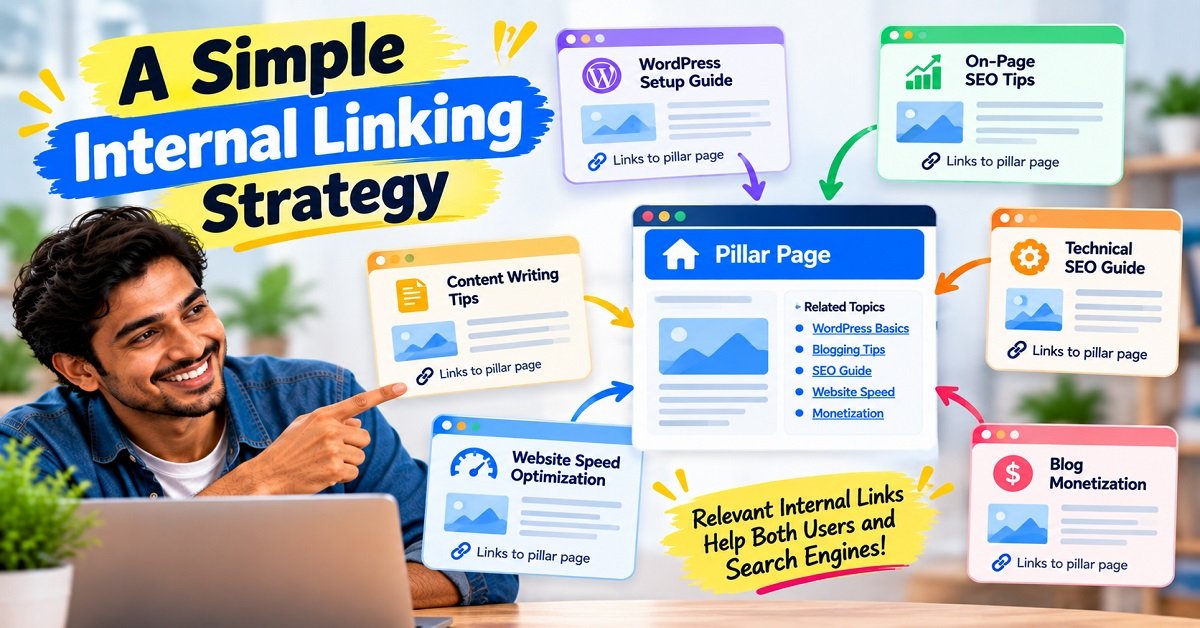
Internal links can help visitors discover related information.
They also help search engines understand the relationships between pages.
Google recommends standard crawlable links for helping its systems discover pages.
A simple internal linking strategy
When publishing a new article, ask:
Which older article would naturally help someone reading this article?
Then link to it.
Don’t add links simply because you want more internal links.
Every link should have a reason.
15. Fix Orphan Pages
An orphan page is a page that has little or no internal linking from other important pages on your website.
Imagine you publish an excellent article but never link to it from your homepage, category pages or other articles.
A visitor may never find it.
Google may still discover it through a sitemap or external links, but strong internal linking can make the site’s structure easier to understand.
For a content website, try to make important articles part of a logical topic structure.
For example:
SEO
→ SEO Basics
→ Keyword Research
→ On-Page SEO
→ Technical SEO
→ Internal Linking
→ Google Search Console
This creates a connected content ecosystem rather than a collection of isolated articles.
16. Structured Data and Schema Markup
Structured data is code that helps search engines understand the meaning and type of information on a page.
For example, structured data can describe:
- Articles
- Breadcrumbs
- Products
- Organizations
- Events
- Reviews
- Recipes
- Software applications
Google says structured data can help it understand page content and can make pages eligible for certain richer search features.
But there is an important warning:
Adding schema does not guarantee a rich result.
Google explicitly states that structured-data features are not guaranteed to appear in search results.
Don’t add fake schema
If your article does not contain a review, don’t add review markup simply because you want stars in Google.
If your page is not a product page, don’t add Product structured data just to get a richer appearance.
Your structured data should accurately represent what is visible on the page and follow Google’s guidelines.
17. Breadcrumbs
Breadcrumbs show visitors where they are within your website structure.
For example:
Home → SEO → Technical SEO
They can make navigation easier, especially on larger websites.
Google also supports Breadcrumb structured data, which can help it understand the page’s position within the site’s hierarchy.
For a growing content website like OrbitElf, breadcrumbs can be useful both for users and site organization.
18. JavaScript SEO
Modern websites increasingly rely on JavaScript.
Google can process JavaScript, but JavaScript-heavy websites need to be implemented carefully.
Google explains that Search processes JavaScript through crawling, rendering and indexing, and notes that there are limitations and differences compared with normal browser behavior.
For example, suppose your article’s main text only appears after JavaScript runs.
If something goes wrong with rendering, Google may have difficulty understanding the content.
For WordPress bloggers
This usually isn’t something you need to obsess over.
But be careful when using:
- JavaScript-heavy page builders
- Dynamic content systems
- Client-side navigation
- JavaScript-generated links
- Content loaded only after user interaction
Important content should be accessible in a way that search engines can process.
19. Check HTTP Status Codes
HTTP status codes tell browsers and crawlers what happened when a URL was requested.
Some important ones include:
| Status | Meaning |
|---|---|
| 200 | Page loaded successfully |
| 301 | Permanent redirect |
| 302 | Temporary redirect |
| 404 | Page not found |
| 410 | Page permanently gone |
| 500 | Server error |
Google uses HTTP status codes to understand what happened when it crawls a URL.
For example, if a deleted page returns a 200 status and displays a message saying “Page Not Found,” you may have created a soft 404.
Google recommends returning an actual 404 status for pages that no longer exist rather than creating soft 404 situations.
20. Handle Duplicate Content Properly
Duplicate content is often misunderstood.
Having some duplicate content does not automatically mean Google will penalize your website.
Google explains that duplicate content can occur naturally and that its systems group similar pages and select a canonical version.
Problems can arise when your website unnecessarily creates many versions of essentially the same content.
Common causes include:
- URL parameters
- Sorting URLs
- Filtering URLs
- Multiple versions of the same page
- HTTP and HTTPS versions
- WWW and non-WWW variations
- Print versions
- Duplicate category structures
The solution depends on the specific situation.
Possible solutions include:
- Canonical tags
- Redirects
- Appropriate internal linking
- Sitemap cleanup
- Noindex
- Robots.txt in appropriate cases
Don’t apply one solution to every duplicate page.
21. Manage Website Categories Carefully
WordPress websites can accidentally create hundreds of low-value URLs.
For example:
- Multiple categories
- Multiple tags
- Author archives
- Date archives
- Search pages
- Attachment pages
Not every URL needs to be indexed.
Ask:
Does this page provide useful information to a searcher?
If the answer is no, you may want to review whether that URL should be indexed.
This is particularly important as a website grows.
22. Don’t Obsess Over Crawl Budget on a Small Blog
“Crawl budget” sounds important, but beginners often worry about it too early.
Google’s current crawl-budget documentation says that crawl-budget optimization is primarily relevant to very large websites, such as sites with millions of unique pages or large sites that change extremely frequently. For smaller websites, keeping the sitemap updated and checking Search Console is generally sufficient.
So if you have 50, 100 or even a few hundred useful articles, don’t spend your entire week trying to optimize crawl budget.
Focus on:
- Good content
- Clear site structure
- Internal links
- A clean sitemap
- Fast pages
- Fixing important technical errors
Those are much more useful priorities for most bloggers.
23. Keep Your Website Fast for Users
Technical SEO isn’t only about Google.
A slow website is frustrating for visitors.
Suppose someone clicks your search result and waits five seconds before seeing the main content.
They may simply go back to Google.
This is why website performance should be treated as a user-experience problem first and an SEO problem second.
Simple ways to improve WordPress performance
Start with:
- Good hosting
- Lightweight theme
- Caching
- Image optimization
- CDN
- Fewer unnecessary plugins
- Optimized fonts
- Reduced third-party scripts
- Clean page design
- Regular performance testing
You don’t need every optimization plugin available.
In fact, installing multiple plugins that perform the same optimization can sometimes make your website more complicated.
24. Check Your Website’s Mobile Experience
Don’t test your website only on your desktop computer.
Open it on an actual smartphone.
Try:
- Homepage
- Navigation menu
- Blog article
- Contact form
- Tables
- Buttons
- Images
- Videos
- Affiliate buttons
- Popups
Ask yourself:
Can I comfortably use this website with one hand on a phone?
This simple test can reveal problems that a desktop browser won’t show.
25. Make Important Content Accessible Through Links
A sitemap is useful, but don’t rely on it as your only discovery mechanism.
Google recommends standard crawlable links to help its systems discover URLs.
For example, your most important articles should ideally be connected through:
- Navigation
- Category pages
- Related articles
- Contextual internal links
- Homepage sections where appropriate
Think of your website as a network.
Important pages should have roads leading to them.
26. Technical SEO Checklist for WordPress
Here is a practical checklist you can use.
| Technical SEO Task | Check |
|---|---|
| HTTPS enabled | ☐ |
| Website works on mobile | ☐ |
| XML sitemap exists | ☐ |
| Sitemap submitted to Search Console | ☐ |
| Important pages are crawlable | ☐ |
| Important pages are indexable | ☐ |
| Robots.txt checked | ☐ |
| Canonical URLs are correct | ☐ |
| Important pages have internal links | ☐ |
| Broken internal links fixed | ☐ |
| Important redirects checked | ☐ |
| Redirect chains minimized | ☐ |
| 404 pages handled correctly | ☐ |
| Images optimized | ☐ |
| Core Web Vitals monitored | ☐ |
| Website loads quickly | ☐ |
| Structured data is accurate | ☐ |
| Breadcrumbs implemented where useful | ☐ |
| Duplicate URLs reviewed | ☐ |
| Unnecessary indexed pages reviewed | ☐ |
| Search Console monitored | ☐ |
| WordPress, themes and plugins updated | ☐ |
| Independent backups maintained | ☐ |
You don’t have to complete everything in one day.
Work through the list gradually.
27. Technical SEO Tools You Can Use
You don’t need dozens of expensive SEO tools to get started.
Here are some useful options.
| Tool | What it helps with |
|---|---|
| Google Search Console | Indexing, search performance, technical issues |
| Google PageSpeed Insights | Performance and Core Web Vitals |
| Google Rich Results Test | Structured-data testing |
| URL Inspection | Check how Google sees a URL |
| Screaming Frog | Technical crawling and site audits |
| Rank Math | WordPress SEO management |
| Google Analytics | User and traffic analysis |
For a beginner WordPress website, Google Search Console + PageSpeed Insights + your SEO plugin can already cover a large portion of your everyday SEO monitoring.
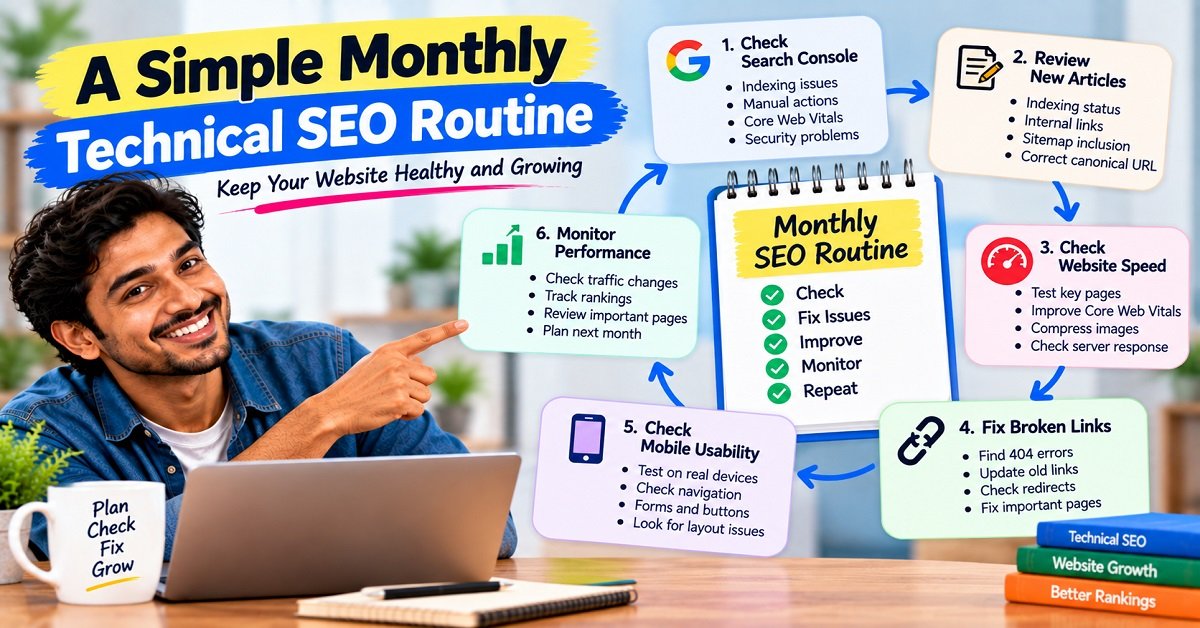
28. A Simple Monthly Technical SEO Routine
You don’t need to perform a complete technical audit every morning.
For a normal content website, a simple monthly routine can work well.
Step 1: Check Search Console
Look for:
- Indexing problems
- Security issues
- Manual actions
- Core Web Vitals issues
- Unexpected traffic changes
Step 2: Check new articles
Make sure your latest articles:
- Are internally linked
- Are included in the sitemap
- Can be accessed normally
- Have the correct canonical URL
Step 3: Check website speed
Test a few important pages.
Don’t test only your homepage.
Check:
- Homepage
- One article
- One category page
- One important landing page
Step 4: Check broken links
Fix important broken internal links.
Step 5: Review old redirects
If you’ve changed URLs recently, check that old URLs redirect to the correct destinations.
Step 6: Check mobile usability
Open your site on your phone.
This takes only a few minutes and can reveal obvious problems.
29. Technical SEO Problems Beginners Commonly Make
Mistake 1: Blocking the entire website
A poorly configured robots.txt or noindex setting can prevent pages from appearing in search.
Always check your settings after major website changes.
Mistake 2: Changing URLs unnecessarily
Every URL change can create additional work.
If an existing article already has a clean URL and performs well, don’t change it simply because you think another URL looks slightly better.
Mistake 3: Installing too many SEO plugins
More plugins don’t automatically mean better SEO.
Choose tools carefully.
Mistake 4: Chasing a perfect PageSpeed score
A 100 score can look impressive, but users don’t care about your score.
They care whether your website loads quickly and works smoothly.
Google itself says that optimizing page experience should not be reduced to chasing perfect Core Web Vitals scores purely for ranking purposes.
Mistake 5: Ignoring Search Console
Your SEO plugin can tell you that your page is optimized.
Search Console can show you how Google is actually processing your website.
Use both.
Mistake 6: Worrying about crawl budget too early
If you have a small blog, spend your time improving content and site structure rather than obsessing over advanced crawl-budget techniques.
Google itself says crawl-budget optimization is mainly relevant to large and frequently changing sites.
Mistake 7: Using schema just for rich results
Structured data should accurately describe your content.
Don’t add markup for information that isn’t actually present on the page.
30. What Technical SEO Should You Fix First?
If you’re overwhelmed by the number of tasks, don’t try to fix everything at once.
Use this priority order.
Priority 1: Make sure Google can access your website
Check:
- Website availability
- HTTPS
- Robots.txt
- Noindex settings
- Sitemap
- Search Console
Priority 2: Make sure important pages can be found
Check:
- Internal links
- Navigation
- Categories
- Sitemap
- Orphan pages
Priority 3: Fix major technical errors
Check:
- Server errors
- Broken pages
- Incorrect redirects
- Soft 404s
- Canonical problems
Priority 4: Improve performance
Work on:
- Images
- Caching
- Server response
- JavaScript
- CSS
- Fonts
- Third-party scripts
Priority 5: Improve advanced SEO
Then consider:
- Structured data
- Advanced crawl management
- Large-scale duplicate URL management
- JavaScript SEO
- International SEO
This order keeps technical SEO manageable.
Technical SEO for a New Website
If you are starting a brand-new website, you have an advantage.
You can build the technical foundation correctly from the beginning.
Before publishing dozens of articles, make sure you have:
- HTTPS
- A clean domain
- A logical URL structure
- A lightweight theme
- Mobile-friendly design
- XML sitemap
- Search Console
- Analytics
- Proper internal navigation
- Good hosting
- Backup system
- Basic security
If you’re still setting up your website, our guide How to Start a Blog From Scratch can help you work through the broader process.
And if you’re selecting a WordPress theme, you may also want to read Best WordPress Themes for Beginners in 2026.
Technical SEO for an Existing Website
If your website already has hundreds of pages, don’t start making large changes without understanding the consequences.
This is particularly important for:
- URL changes
- Category restructuring
- Domain changes
- HTTPS migration
- Theme changes
- Large plugin changes
- Website migrations
Before major changes:
Create a backup.
Then document your existing URLs where practical.
After the change, monitor Search Console and important pages.
A technically “cleaner” website is not necessarily better if a major migration accidentally breaks hundreds of URLs.
Does Technical SEO Improve Rankings?
Technical SEO can help create the conditions needed for search engines to access, understand and process your content.
But it does not work like a ranking switch.
There is no setting where you complete technical SEO and suddenly Google ranks every article on page one.
Google’s systems consider many factors, including relevance, content quality, user experience and other signals.
Google also states that page experience is only one part of the overall search systems and that even strong Core Web Vitals don’t guarantee top rankings.
Think of technical SEO this way:
Bad technical SEO can create obstacles. Good technical SEO removes those obstacles.
Your content still has to earn visibility.
Does Every Website Need Advanced Technical SEO?
No.
A small WordPress blog does not need the same technical SEO strategy as:
- A large ecommerce store
- A news website
- A marketplace
- A travel booking website
- A website with millions of URLs
- A JavaScript-heavy web application
The fundamentals remain important for everyone.
But the complexity changes with the size and technology of the website.
For a typical blogger, focus on the fundamentals first.
Frequently Asked Questions
What is technical SEO in simple words?
Technical SEO is the process of improving the technical parts of your website so search engines can crawl, understand and index your content more effectively.
Is technical SEO difficult?
The basics are not difficult.
You can learn important concepts such as sitemaps, robots.txt, canonical URLs, redirects and Core Web Vitals without being a professional developer.
More advanced technical SEO can become complicated on large or JavaScript-heavy websites.
Is technical SEO important for WordPress?
Yes.
WordPress handles many technical tasks automatically, but website owners still need to monitor areas such as indexing, sitemaps, performance, internal linking, redirects, plugins, security and duplicate URLs.
Do I need coding knowledge for technical SEO?
Not for most basic tasks.
SEO plugins and WordPress settings can handle many common tasks.
However, coding knowledge becomes more useful when troubleshooting custom themes, JavaScript, server configuration, structured data or advanced technical problems.
Does an XML sitemap improve rankings?
Not directly.
A sitemap helps Google discover URLs, but Google states that submitting a sitemap does not guarantee crawling, indexing or higher rankings.
Does robots.txt improve SEO?
Robots.txt can help control which resources or URLs crawlers can request, but simply having a robots.txt file does not improve rankings.
Incorrect robots.txt rules can actually cause crawling problems.
Should I worry about crawl budget?
If you have a normal small or medium-sized blog, usually not very much.
Google says crawl-budget optimization is primarily important for very large or frequently changing websites.
What are Core Web Vitals?
Core Web Vitals are user-experience measurements covering loading performance, responsiveness and visual stability.
The current metrics are LCP, INP and CLS.
Does a perfect PageSpeed score guarantee higher rankings?
No.
Google explicitly says good Core Web Vitals and page experience do not guarantee that a page will rank at the top of Search.
What is a canonical URL?
A canonical URL is the preferred representative URL for a page when multiple URLs contain duplicate or very similar content.
Google uses several signals when determining canonical URLs, including redirects, canonical tags and sitemap information.
Should every 404 error be fixed?
No.
A 404 is appropriate when a page genuinely does not exist.
You should investigate important broken links and unexpected 404s, but you don’t need to redirect every nonexistent URL simply because it returns a 404.
Does structured data guarantee rich results?
No.
Structured data can help Google understand page content and can make a page eligible for certain search features, but Google does not guarantee that a rich result will appear.
Are FAQ sections still useful for SEO?
Yes, they can still be useful for readers because they answer common questions directly.
However, Google deprecated the FAQ rich-result feature in 2026, so you should not create FAQs solely because you expect them to generate FAQ-rich-result listings.
Final Technical SEO Checklist
Before you consider your technical SEO foundation reasonably healthy, go through this list:
Crawling
- Google can access important pages
- Robots.txt is not blocking important content
- Server responds reliably
- Important resources can be accessed
Indexing
- Important pages are indexable
- Unwanted pages are handled correctly
- Canonical URLs are correct
- Sitemap contains the right URLs
Site Structure
- URLs are logical
- Important pages have internal links
- No important orphan pages
- Navigation is easy to understand
- Breadcrumbs are used where useful
Performance
- Images are optimized
- Website loads quickly
- Core Web Vitals are monitored
- Unnecessary scripts are removed
- Caching is configured
Mobile
- Website works properly on smartphones
- Text is readable
- Buttons are easy to tap
- No unnecessary horizontal scrolling
- Popups don’t interfere with the main content
Technical Errors
- Broken internal links are fixed
- Important redirects work
- Redirect chains are minimized
- Soft 404s are investigated
- Server errors are monitored
Structured Data
- Schema accurately represents the page
- Markup is tested
- Fake or misleading schema is avoided
Monitoring
- Google Search Console is connected
- Sitemap is submitted
- URL Inspection is used when needed
- Search Console reports are reviewed regularly
Final Thoughts
Technical SEO can look intimidating when you see terms such as canonicalization, crawl budget, JavaScript rendering, HTTP status codes and structured data.
But you don’t need to learn everything at once.
Start with the fundamentals.
Make sure Google can access your website.
Make sure your important pages can be discovered.
Keep your sitemap clean.
Use sensible URLs.
Fix important redirects and broken links.
Make your website fast and mobile-friendly.
Use canonical URLs correctly.
Monitor Search Console.
Then move into more advanced technical SEO as your website grows.
The most important lesson is this:
Technical SEO is not about making Google happy with complicated tricks. It is about building a website that search engines can understand and people can actually use.
When the technical foundation is healthy, your content has a much cleaner path to search visibility.
And once that foundation is in place, your time is better spent doing what ultimately matters most for a content website: creating genuinely useful pages that answer the questions your readers are searching for.